Content Creation Tools - CANVA
Posting consistently and creating high-quality content doesn’t have to be complicated or expensive.
In this module, you’ll learn the exact tools used by entrepreneurs to create, edit, and repurpose content quickly, even if you’re just starting.
These tools will help you produce professional-looking content without hiring a team, save hours every week, and scale your online service business in Lebanon, GCC, and MENA.
By the end, you’ll know which tools to use, how to use them, and when for maximum efficiency.
For all my static posts and caroussels, I use Canva. I will show you what you can do with Canva, for free and with the paid version.
This is the link to canva: https://www.canva.com/
HOW TO USE CANVA FOR YOUR STATIC POSTS AND CAROUSSELS?
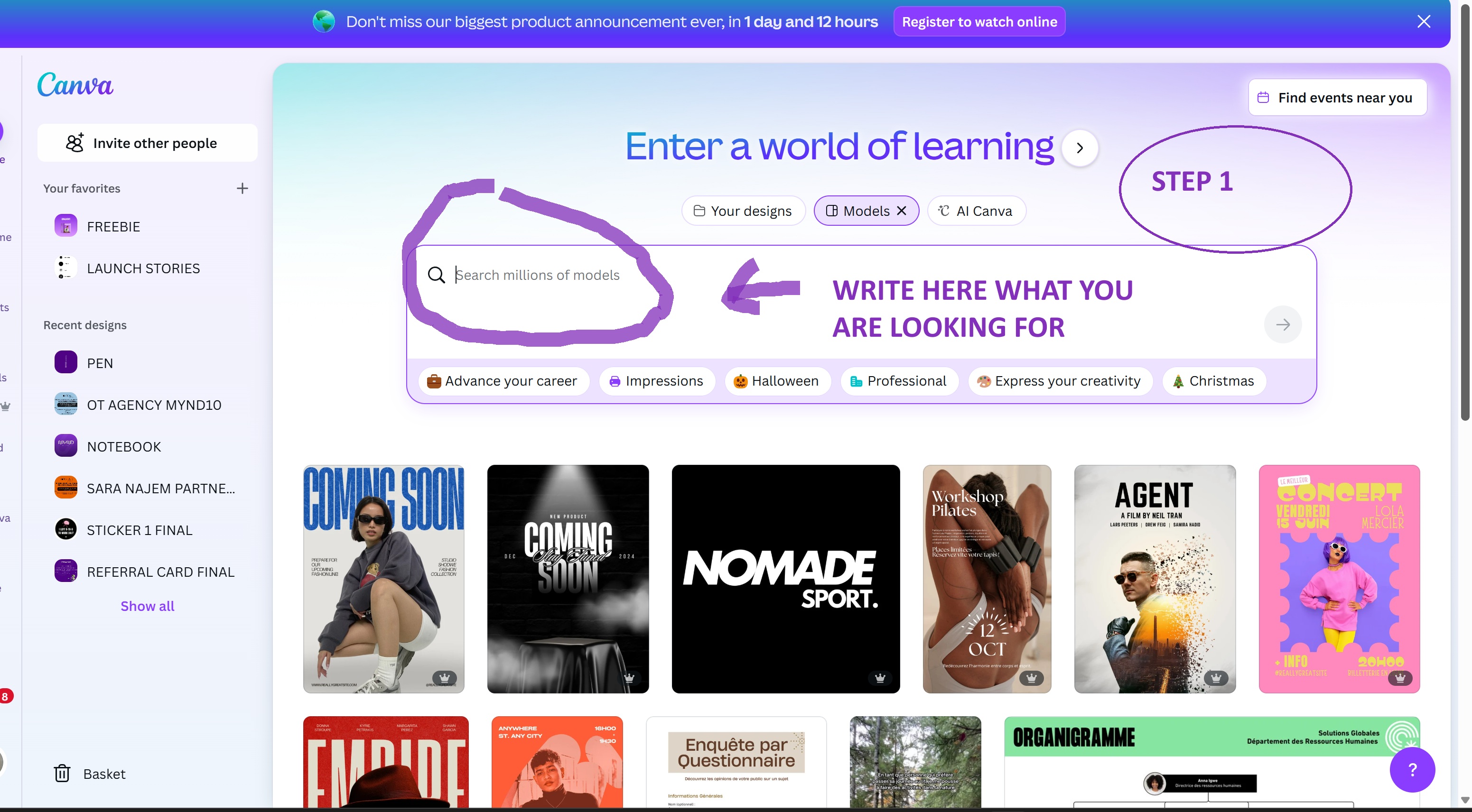
Step 1 - Sign up with your email to canva.com
When you are in, this is where you should write what you would like to create
I am adding to the lesson my Canva Cheat Code of what you can write to get good designs.
Step 2 - Considering we wrote in the search bar: Instagram launch post
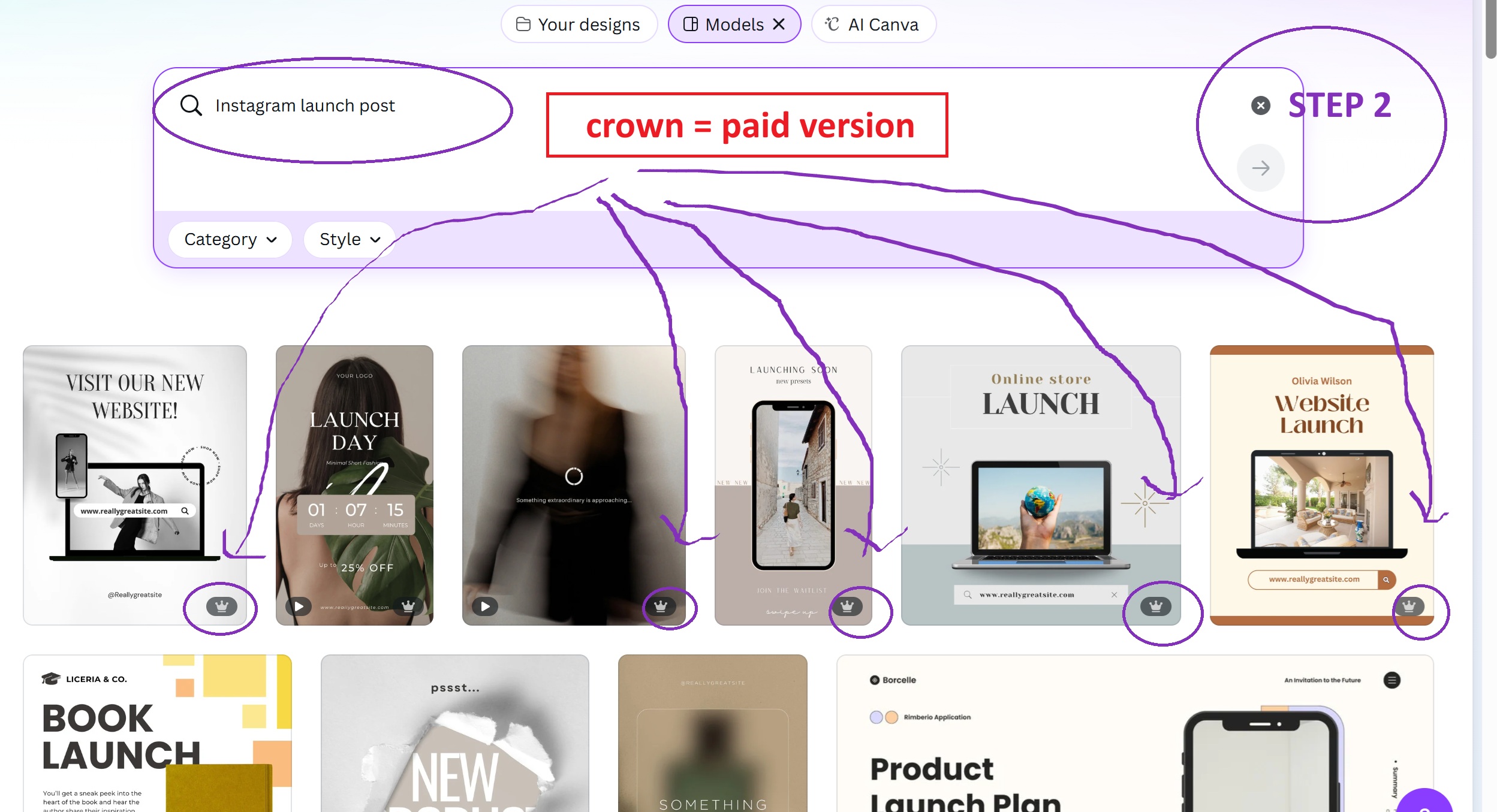
When you search on canva, all the results with a CROWN on the low right side are for paid version of canva. For people who want to pay canva, it's approx 100 usd per year. For me, this has been an excellent investment.
For those who want to keep it lean and try the free version, continue to scroll down until you find a post you like without the CROWN. I will pick a post to work on without the CROWN so it fits you all.
Let's find one !
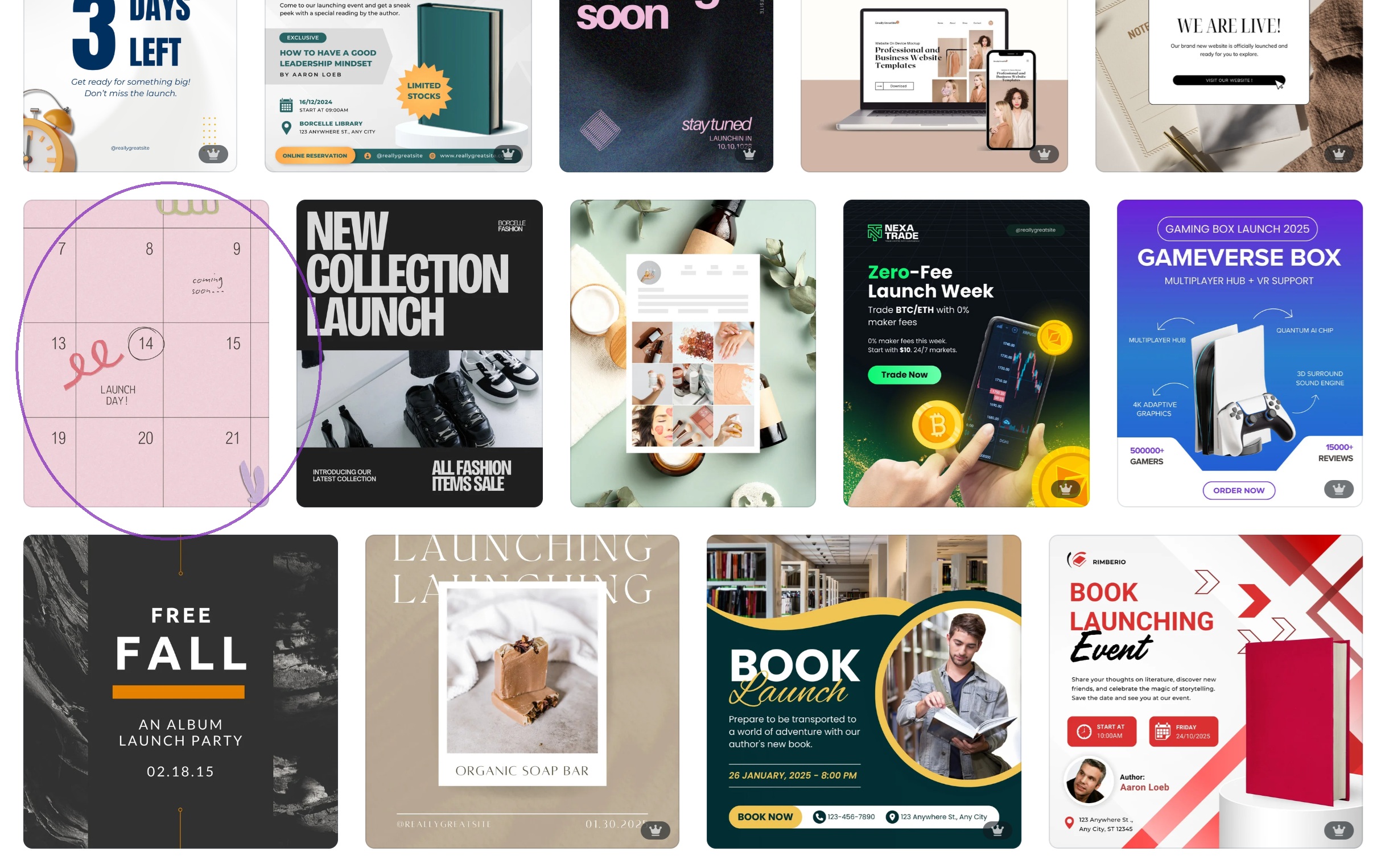
Ok, I like the post I circled as an announcement post. It is for free, so let's work on it. Just click on it and let's dive deep in what we can do.
I will do it step by step in pictures and in video.
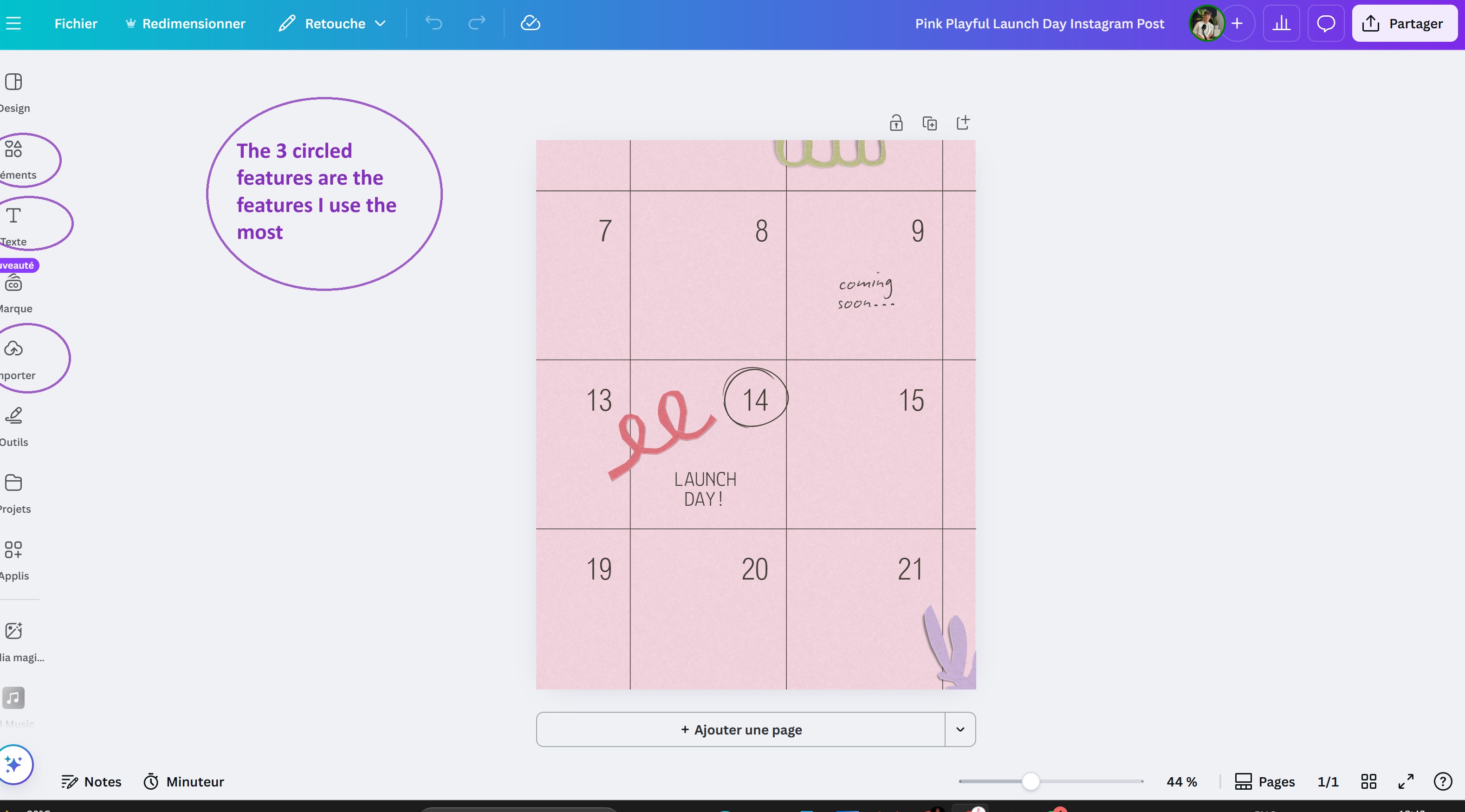
THIS IS YOUR CANVA PLAYGROUND (below). I circled the elements I use the most so you can use them all the time.
ELEMENTS
TEXT
IMPORT